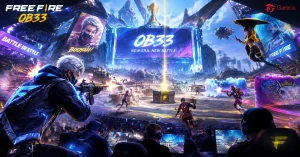
Latest Overview of Garena FF OB33
Latest Overview of Garena FF OB33
Table of contents
1. Latest Overview of Garena FF OB33
2. New Features in OB33 Version
3. Competition Schedule and Featured Events
Latest Overview of Garena FF OB33
Table of contents
1. Latest Overview of Garena FF OB33
2. New Features in OB33 Version
3. Competition Schedule and Featured Events
Đặt cược CKTG Garena: Cập nhật xu hướng và hướng dẫn chi tiết
Article contents
1. Tổng quan về đặt cược CKTG Garena
2. Lịch trình và bảng xếp hạng giải đấ
Tổng Quan Về clanwar ff garena vn và Các Chiến Thuật Mới Nhất
Table of contents
Tổng Quan Về clanwar ff garena vn
Lịch Thi Đấu Clanwar ff garena vn
Xếp Hạng Các Cla
Các bước tải garena mới nhất về máy tính
Hướng dẫn tải và cài đặt
Cập nhật phiên bản mới nhất
Khắc phục lỗi thường gặp
Cấu hình hệ thống yêu cầu
Tối ưu trải
Các bước để đổi avatar Garena web thành công
Cách truy cập trang đổi avatar Garena web
Hướng dẫn chọn avatar phù hợp
Các bước thay đổi avatar qua trình duyệt
Khám phá Ứng dụng Garena: Trải nghiệm chơi game đỉnh cao
Giới thiệu về ứng dụng Garena
Hướng dẫn sử dụng cơ bản
Các tính năng nổi bật
Cách xem lịch sử nạp th
This news page is built for quick mobile scanning. Weekly promo news, birthday events, first top-up rewards, and important update boards are laid out in clear sections. Each item includes a posting time, category label, and a read more button.
The three news items below are placed at the top. The content is short, labels are clear, and it’s easy to skim. Viewers usually tap here first to get the main information.
The featured news block is seeing a sharp rise in interest for tonight’s events. Each milestone has a clear posting date and display condition.
Read moreThe offers are divided into layers. Easy to see. Easy to compare. There’s a separate section for new sign-ups, first deposits, and weekly reward milestones.
Read moreSupport is placed right next to the latest news. Users asking about conditions, reward milestones, or display errors all have a clear path.
Read moreThis section is for newly posted news. Fast to read. Short format. Suitable when you need to quickly check the content running today.
System news shows that the time-slot schedule has been expanded. Time labels stay close to each cluster to avoid confusion with older news.
View detailsThe technical news block keeps it brief. Each change comes with a short note, suitable for viewers who want a quick grasp before moving to another section.
View detailsTables with higher traffic are moved up first, helping users choose faster. The badge color stays true to the category.
View detailsEvent news is displayed separately, avoiding being mixed with promotions. This makes it easier for viewers to follow on mobile.
View detailsSports topics are always among the most viewed. The news is grouped so readers can open the exact match they need.
View detailsThe strength is its brevity. New users only need to tap once to see the gift milestones, conditions, and expiry.
View detailsThe tech block emphasizes a lighter page, webp images, and a single-column layout. Faster to open, less cluttered.
View detailsThe community board lets viewers know which topic is being mentioned most without having to open each post.
View detailsNewbie reward news is often searched for. We keep it in a separate flow so it can be seen quickly within the first 3 seconds.
View detailsThe main conditions are placed at the beginning of the sentence. Short writing helps filter information faster, especially when viewing on a phone.
View detailsThe quick view section helps users tap the right topic they need. No long scrolling. No digging through multiple layers.
View detailsThe posting schedule is displayed near the top of the page. Suitable for people used to checking news in the morning, noon, or evening.
View detailsThe highest view rate is still the diverse game group. Readers can switch between tabs without getting confused.
View detailsThe categories are split into short, easy-to-tap sections, suitable for small screens. Readers move from one topic to another in just one tap.
Choose the Latest News section so you don't miss new posts, or pin the Promotions, Events, and Updates tags if you only want to see the important parts. The support channel responds quickly, suitable for people who need short answers.
The questions below help viewers grasp the page flow faster, especially when opening on mobile or needing to filter the right category.
The news section is reviewed daily. Hot articles will appear first, while category content will be added when there are new notifications.
Click directly on tags like Promotions, Events, Sports, Slots, or Fish Shooting to go to the exact news group you want to see.
Yes. The page uses a one-column layout on mobile, large buttons, short cards, and spacious spacing for faster browsing.
The content prioritizes public data, official event schedules, and verified information before display.
Go to Latest News, Updates, or Trending. These are the three fastest-updating areas on the page.
Yes. The support channel is placed in the quick links group, with an average response of about 30 seconds during peak hours.
Yes. Special news for new users often includes sign-up gifts, free spins, first deposit offers, and bonus milestones by round.
Because game content is quite broad. Splitting by tags helps viewers go straight to the right topic without having to scroll a long way to find it.